2026-10-30
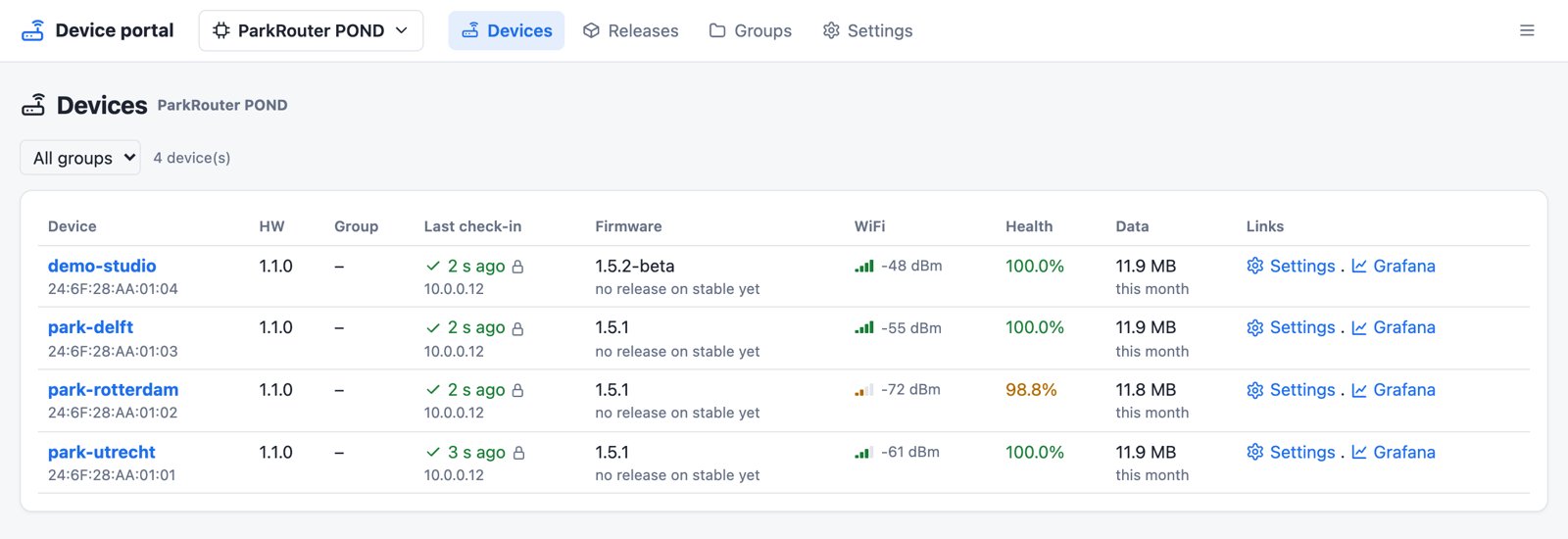
A device portal for a fleet of park routers
Every POND installation has a ParkRouter: a small ESP32 box near the water that listens to the harvesters over radio and sends their measurements to InfluxDB and Grafana. The installations are spread over parks and research sites, and until now a router was only as up to date as the last time someone visited it with a laptop and a USB cable. A setting on a harvester was even harder: some were compiled into its firmware, per serial number.
So I built Nova Innova a device portal: one web page where every router checks in, picks up new firmware, runs commands and passes on settings to the harvesters behind it. Nobody has to go to the park any more.
Firmware releases, without the fear
Upload a firmware.bin and the portal reads the product, version, chip, flash
size and board straight from the image. A new release goes to nobody until you
say so:
- Put it on beta and check it on a couple of test routers.
- Move it to stable and the rest of the fleet follows at its next check-in.
- Something wrong? Press Promote on the previous release and the routers go back to it. That is the whole rollback.
A release only reaches a router it fits: the same product, chip family, board and hardware version, and an update slot big enough for it. On the router, a new image stays on probation until its first successful check-in. If it can't get that far, the bootloader starts the old firmware again. And if the HTTPS connection ever fails, for example after a certificate change, the router retries over plain HTTP, so it can always reach the update that fixes the problem.
Groups collect routers by park, customer or demo, and give them one target: stable, beta, a pinned version or no updates at all.
Settings that reach a harvester on its own time
The harvesters live on the power that microbes in the water give them, so they sleep most of the time and wake up about once an hour. The portal shows a table per router, with a row for each setting and a column for each harvester. Set a value for all harvesters of a router or for one, and it is delivered in small steps: the router fetches it, and passes it on when that harvester next wakes up, two settings at a time.
A field stays yellow until the harvester itself confirms the new value. The portal also checks every value against the same limits as the harvester firmware, so it never sends one the harvester would ignore.
A live connection
From firmware v1.5.0 each router keeps a single encrypted MQTT connection open to the portal. A command, a new setting or a firmware target arrives within seconds instead of at the next half-hourly check-in, and the portal sees at once when a router drops offline. It saves data, too: a check-in no longer starts a new TLS handshake. That matters on a mobile data SIM. If the connection can't be made, the router simply checks in over HTTPS as before.
Health at a glance
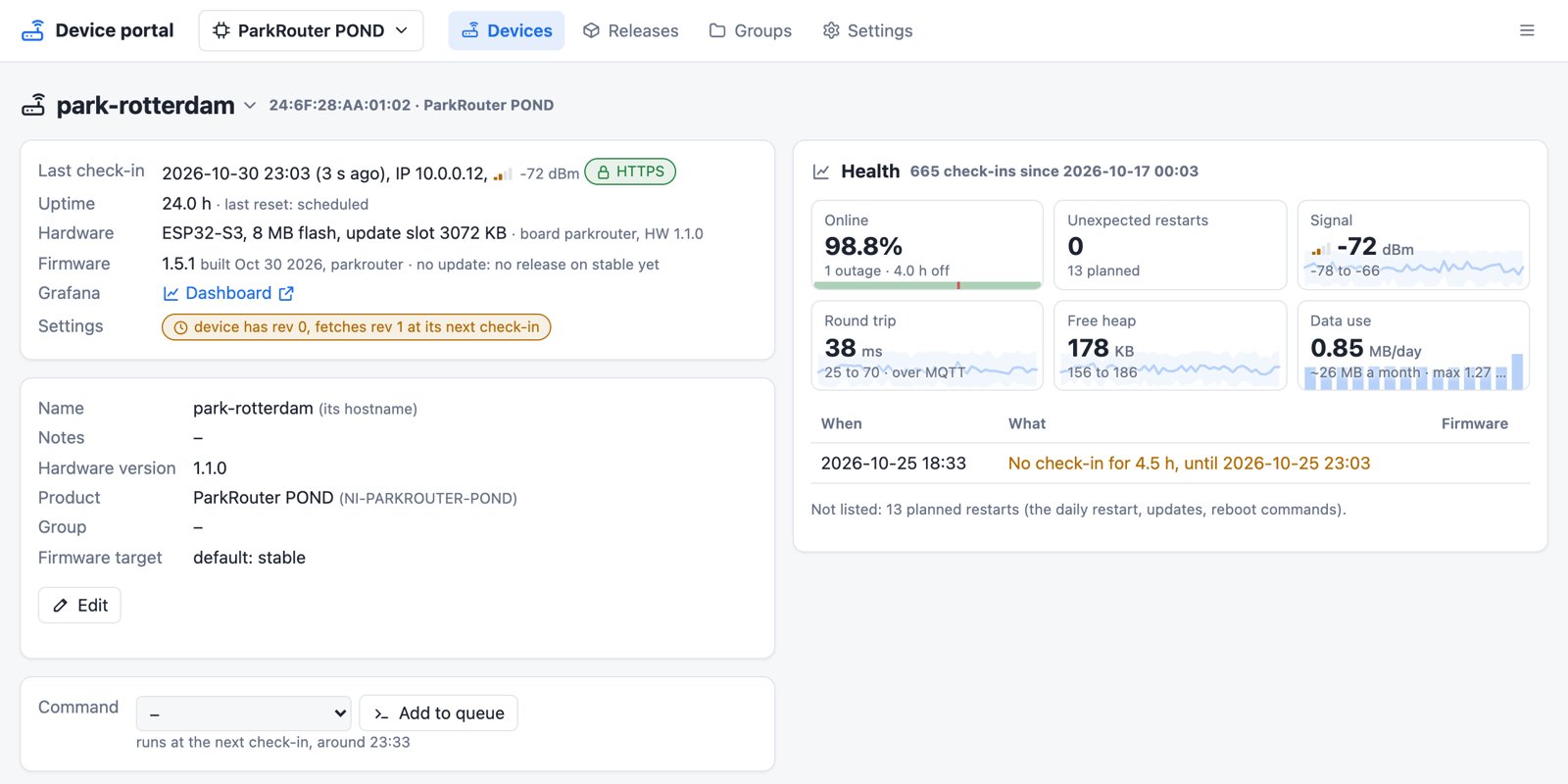
Every check-in is kept for 30 days, and each router's page turns that into tiles. You can see how much of the time it was online and when it wasn't, its WiFi signal, free memory and round-trip time, and its internet data use per day with an estimate for the month, which is close to what the SIM provider counts. Planned restarts like the nightly reboot or an update are only counted; a crash, watchdog reset or brownout is listed, so a router that is struggling stands out before it stops.
People and products
Users get a role: viewer to look, operator to send commands and change settings, admin to release firmware and manage the rest. A user can be limited to some products, and every change goes into an activity log with who made it.
The portal isn't tied to the ParkRouter. Any ESP32 product can use it: embed a version marker, check in, run commands and update over HTTP. The settings a product has come from a schema file, so a new product gets its own settings pages without new code.
How it is built
The portal is a small FastAPI app with SQLite and no build step, in Docker next to the InfluxDB and Grafana that were already there. Mosquitto runs in a second container for the live connection. The first version was live within two days and used straight away, and the portal has been growing feature by feature since.
Building something similar for your own devices? Get in touch.