2026-07-04
A desktop tool for calibrating POND's water sensors
Water-quality sensors drift. pH, dissolved oxygen and conductivity probes all need periodic calibration against known reference solutions, otherwise the readings slowly stop meaning anything. For the POND installation that meant giving people a straightforward way to do it — without a soldering iron or a terminal window.
So I built a small desktop application for it.
What it does
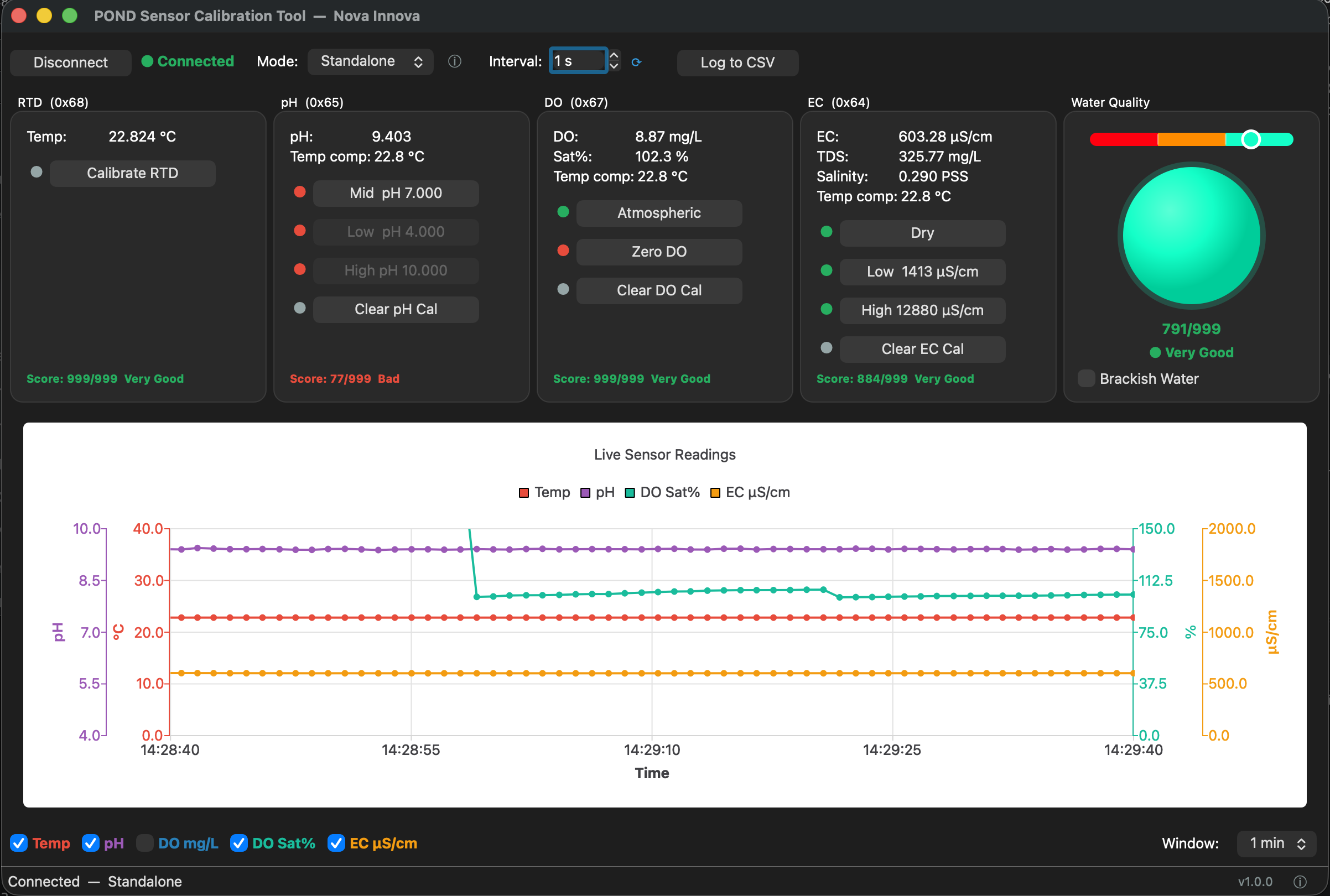
- Live readings — RTD (temperature), pH, dissolved oxygen and EC shown side by side, updating in real time with a rolling chart.
- Guided calibration — the calibration steps each sensor needs (mid / low / high pH, atmospheric / zero DO, dry / low / high EC) as plain buttons, mirroring the physical CAL buttons and LEDs on the sensor board.
- A quality score — a single at-a-glance indicator of how healthy each sensor's calibration is.
- CSV logging — record a session to file for later inspection.
How it is built
- Python 3.11+ with PySide6 (Qt) for the interface.
- EasyMCP2221 to talk to an Adafruit MCP2221A, a small USB-to-I²C bridge that connects a laptop directly to the sensor board over I²C.
- Packaged with PyInstaller into standalone builds for macOS (Apple Silicon and Intel) and Windows, so there is nothing to install beyond the app itself.
Why a separate tool
The sensors live inside the installation, but calibration is an occasional, hands-on job best done at a bench with reference fluids. A dedicated USB tool keeps that workflow simple and self-contained, and keeps the field firmware focused on running the installation rather than on maintenance chores.
Now also for the fuel cells
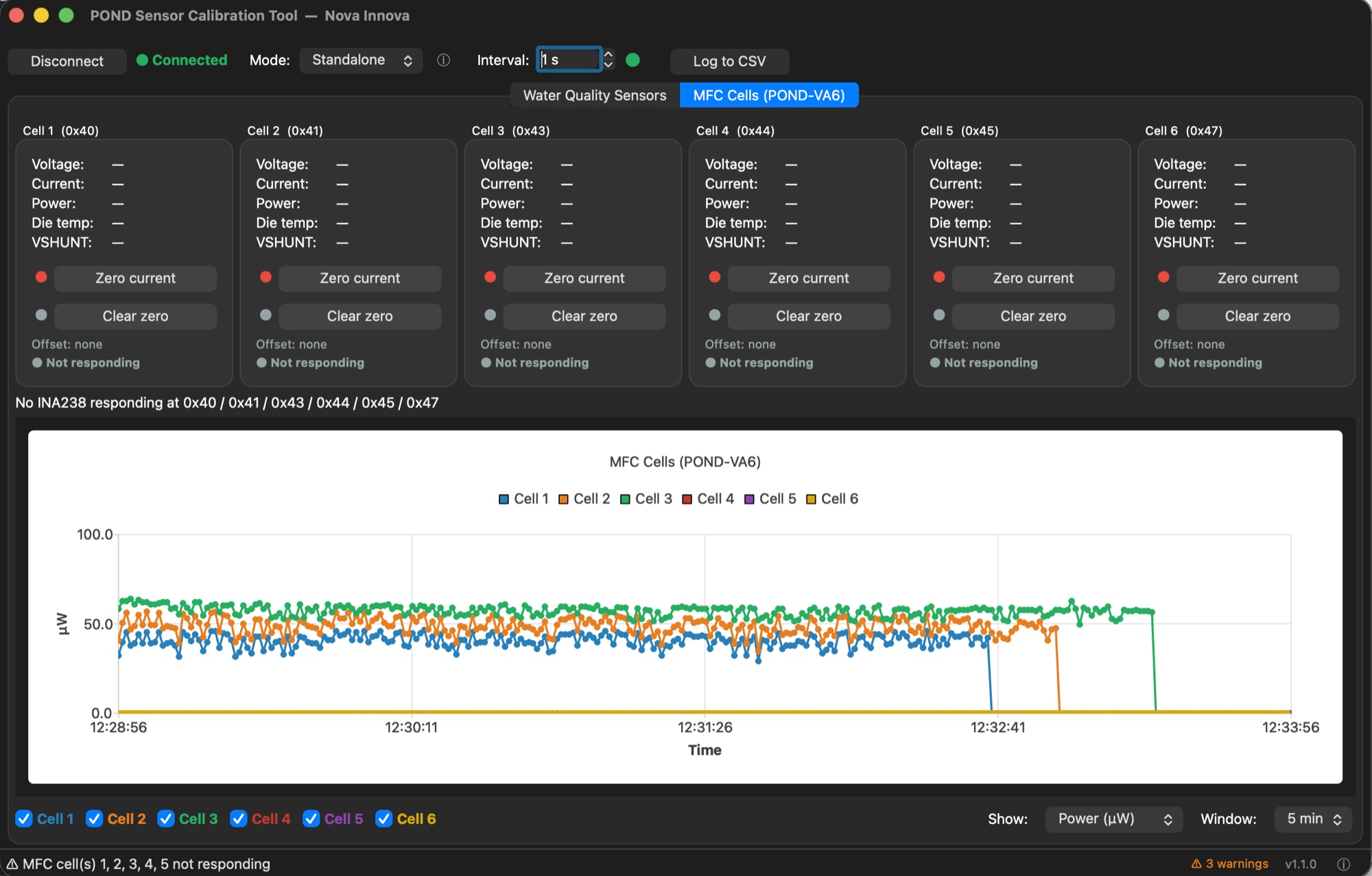
The tool has since grown a second tab for POND-VA6, the board that measures POND's microbial fuel cells. It shows voltage, current and power for all six cells live, captures each channel's zero-current offset and logs to CSV. That makes it the bench tool for debugging and testing the board, before the data goes into InfluxDB and Grafana.
More on the installation itself: firmware work on Nova Innova's POND.